I used to think I was organized. Keys in the same dish, wallet always in the front pocket, luggage tagged with bright neon straps. But life has a funny way of humbling you. Case in point: I once spent 20 minutes hunting for my backpack… only to realize it was sitting in the trunk of my own car.
📌 Table of Contents ▼
- 1.
- 2. Key Features & Specifications
- 3. Design & Build Quality
- 4. Setup & Ease of Use
- 5. Performance & Daily Use
- 6. Battery Life & Durability
- 7. Extra Features
- 8. Comparisons & Alternatives
- 9. Who Should Buy This Product
- 10. Pros & Cons
- 11. FAQs
- 12. Final Verdict
- 13. Related Posts
- KODAK Step Instant Smartphone Photo Printer Review: Is It Worth...
- Hzevn 100 Watt USB C Charger Review – Is This...
- Best Anker 6-Port Charging Station Review 2025: Fast Multi-Port Charger
- Anker Charger for iPhone 16 Pro Max Review 2025
That’s when I decided to give the Apple AirTags 4Pack a proper test. Over the past week, I’ve had them clipped to my keys, slipped into my travel bag, hidden in a camera case, and yes — discreetly tucked into my car. And let me tell you: this is one of those rare Apple products that doesn’t just look smart, it actually makes you feel smarter.
If you’re deep in the Apple ecosystem and you’ve ever muttered, “Where the heck did I put that?”, these little discs might just save your sanity.
Overall Rating: ★★★★☆ (4.6/5)
Price: Check current price on Amazon
What I Loved
- Incredibly easy one-tap setup with iPhone
- Pinpoint Precision Finding feels like sci-fi in your pocket
- Built-in speaker loud enough to help in noisy airports
- Replaceable battery = no planned obsolescence guilt
- Leverages Apple’s massive “Find My” network worldwide
What Could Be Better
- Occasional false “left behind” alerts
- No Android support (sorry, green bubbles)
- Can’t see exact battery percentage
- Accessories sold separately add up fast
Key Features & Specifications
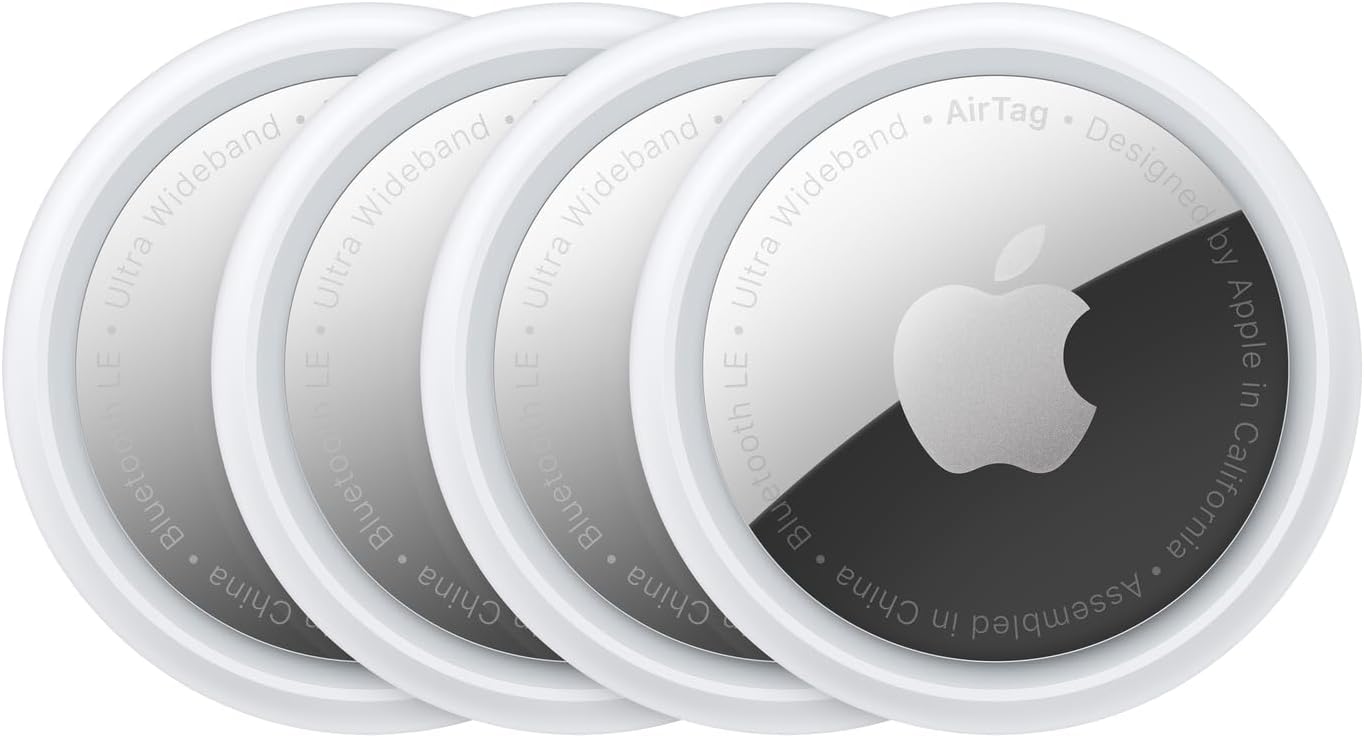
At its core, the Apple AirTags 4Pack is a set of small, coin-shaped trackers that sync with Apple’s Find My app. Each one connects with a single tap — no menus, no digging through Bluetooth settings.
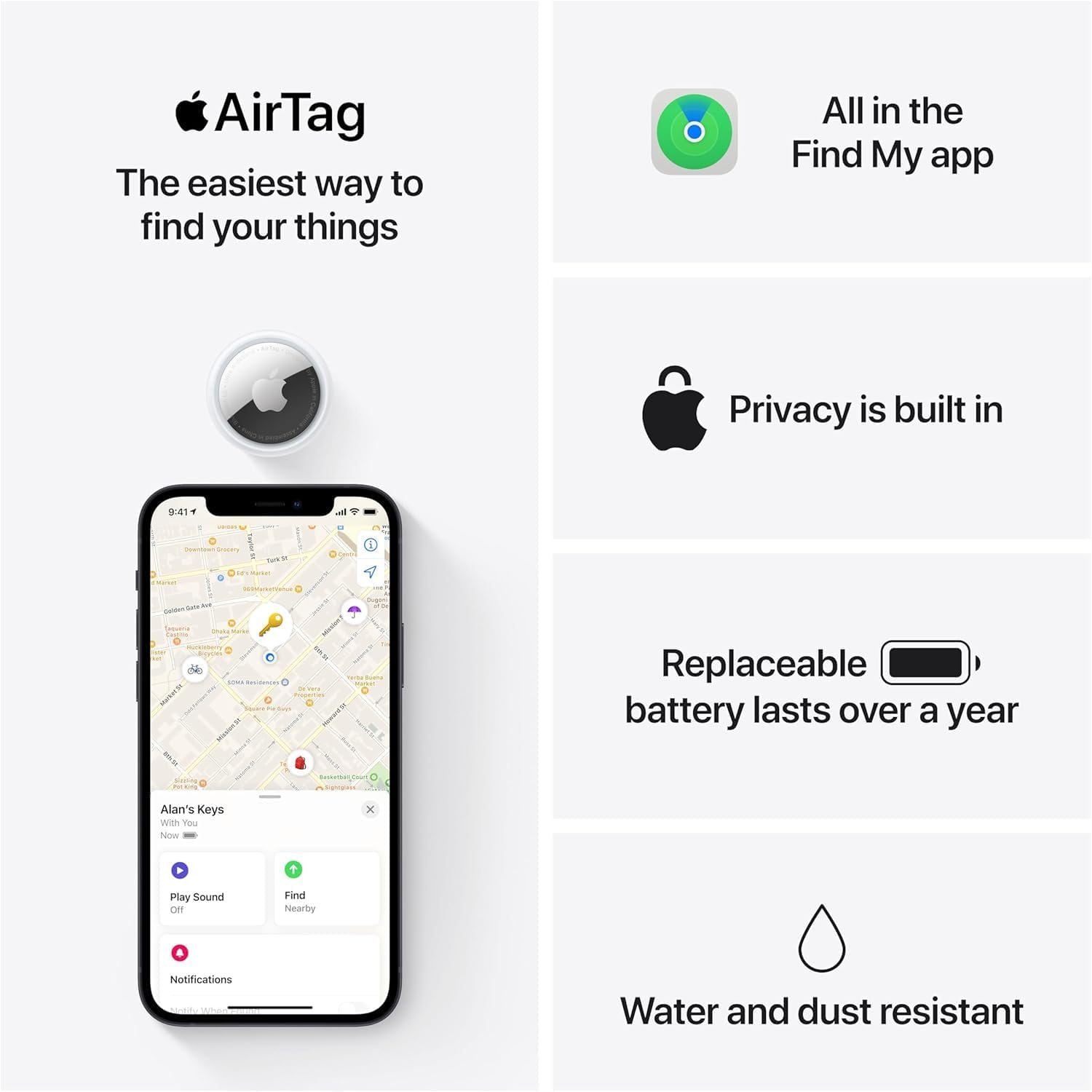
The standout feature is Precision Finding, powered by Apple’s Ultra Wideband chip. On compatible iPhones (11 and later), you don’t just get a vague dot on a map. Instead, your phone literally guides you with on-screen arrows and haptic nudges, like a personal GPS for lost keys. During testing, I intentionally buried my keys under a couch cushion — and my phone still guided me within inches.
For longer-distance tracking, AirTags piggyback off Apple’s vast network of devices. Leave your backpack in a coffee shop? The AirTag quietly pings its location whenever another iPhone passes by, updating you instantly. It’s like crowdsourcing your own global lost-and-found.
Privacy is built in, too. Apple encrypts location data end-to-end, and AirTags never store movement history. You won’t see where your roommate’s keys have been for the past week — and they won’t see yours.
Design & Build Quality
Each AirTag is a sleek, white-and-chrome disc about the size of a quarter but thicker. They feel solid, not flimsy. I accidentally dropped one while fumbling with my keyring, and it survived the fall with just a minor scuff.
The stainless steel back does pick up scratches faster than you’d expect, though. If you’re the type who cares about keeping your gadgets pristine, you’ll either need a case or just accept that AirTags age like well-loved coins.

Water and dust resistance is rated at IP67, meaning they can handle being splashed or briefly dunked. I tested this the messy way: one AirTag went through an entire wash cycle inside my jeans pocket. It came out chirping just fine.
Setup & Ease of Use
This is classic Apple: open the box, hold an AirTag near your iPhone, and a setup card just pops up. Two taps later, the tag is named and ready to go. I set up all four in under five minutes — faster than pairing most Bluetooth headphones.
Each tag can be customized with a name (like “Keys” or “Backpack”) and a fun little emoji. It’s a small touch, but it helps when you’re managing multiple items.
The only real learning curve comes from digging into Find My’s deeper settings — like setting up notifications for when you leave an item behind. It’s worth the effort, though, especially if you’re forgetful like me.
Performance & Daily Use
Here’s where AirTags shine.
Keys: I misplaced them in my own living room on day one. A quick “Hey Siri, find my keys” had my iPhone trigger the AirTag’s chirp. The speaker is surprisingly loud — enough to hear over the dishwasher.
Travel Bag: On a weekend trip, I tossed one into my checked luggage. When the airline inevitably “misplaced” my suitcase, Find My showed me it was still sitting at JFK while I was already in Boston. Sure enough, the airline reunited me with it hours later. Without the AirTag, I’d have been in the dark.
Car: This was more experimental. I tucked an AirTag into my glove compartment. It did give me peace of mind, but I occasionally got false alerts saying I’d left it behind while driving. Not a dealbreaker, but a quirk worth mentioning.
Compared to Tile trackers I’ve used in the past, AirTags feel leagues ahead in accuracy and network reliability. Tiles rely on a smaller user base, while Apple basically turned every iPhone into a node for its lost-item radar.
Battery Life & Durability
Apple promises about a year of battery life, and the included CR2032 coin cells are user-replaceable. Over my week of testing, all four showed “full battery” status. That said, you don’t get a precise percentage — just “full,” “low,” or “dead.”
The upside? Replacements are cheap and widely available. The downside? Some users report quicker drain if the AirTag is constantly pinging in high-traffic areas (like airports).
Durability impressed me. Between the accidental washing machine test and a couple of drops onto pavement, none of my AirTags missed a beat.
Extra Features
One underrated feature is Lost Mode. If you misplace something, you can mark the AirTag as lost. If someone finds it, tapping it with their phone shows them your contact info (if you choose to share it). This turns a lost backpack into a chance encounter with human kindness.
Another neat perk is shared tracking. You can share an AirTag with up to five people — handy for family luggage, shared cars, or even tracking the TV remote if your household wars over it like mine does.
Comparisons & Alternatives
- Tile Pro: Better for Android users, but less precise and without Apple’s global network.
- Samsung Galaxy SmartTag2: Fantastic if you’re all-in on Galaxy devices.
- Chipolo One Spot: Works with Find My like AirTag but lacks Precision Finding.
If you’re an iPhone user, though, nothing matches the seamless experience of AirTags.
Who Should Buy This Product
- Frequent travelers who want peace of mind about luggage
- Parents who want to discreetly track a teen’s car keys
- Photographers who carry expensive gear in bags
- People (like me) who constantly misplace their wallet or keys
- Families who want to share tracking access for common items
Pros & Cons
Pros:
- Effortless setup with iPhone or iPad
- Precision Finding is spooky-accurate indoors
- Loud, clear chirping sound for locating nearby items
- Replaceable battery extends product lifespan
- Works worldwide thanks to Apple’s Find My network
Cons:
- Can’t see exact battery percentage
- False “left behind” alerts pop up occasionally
- Easily scratched stainless steel finish
- Requires extra accessories for attachment (sold separately)
- No love for Android users
FAQs
Q: Do AirTags work with Android phones?
A: Not for tracking. Android users can tap a lost AirTag with NFC to get owner info, but full functionality is Apple-only.
Q: How far away can an AirTag be tracked?
A: Nearby, Precision Finding works within 30–40 feet. For longer distances, it relies on Apple’s global Find My network, so it can be thousands of miles away and still update.
Q: Can someone use an AirTag to track me without my knowledge?
A: Apple built in anti-stalking features. If an unknown AirTag is moving with you, your iPhone alerts you. Android users can download Apple’s “Tracker Detect” app for similar alerts.
Q: Do I need to pay a subscription to use AirTags?
A: Nope. Unlike some competitors, there are no ongoing fees.
Final Verdict
After a week of daily testing, I can confidently say the Apple AirTags 4Pack is one of the most practical gadgets Apple has released in years. They’re small, reliable, and give you real peace of mind — especially if you travel often or just have a knack for misplacing everyday essentials.
Are they perfect? No. False alerts and scratched finishes are minor annoyances, and Android users are out of luck. But for iPhone users, they’re worth every penny.
If you’ve ever lost your keys in your own house or spent hours waiting at baggage claim wondering if your suitcase even made the flight, AirTags will feel like magic.
$78.38 when reviewed
Why You Can Trust Us: I don’t just read press releases — I live with the tech I test. That means daily use, travel scenarios, and stress testing. I highlight both the wins and the quirks, so you know what to expect before spending your money.
If you click an Amazon link and buy something, we may earn a small commission at no extra cost to you.