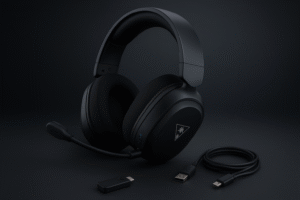

You know that moment when you’re about to hop into a late-night gaming session, only to realize your old headset sounds like someone whispering through a tin can wrapped in aluminum foil? Yeah… been there.
📌 Table of Contents ▼
- 1. ⭐ Review Scorecard
- 2. ⭐ Key Features & Real-World Impact
- 3. ⭐ Design & Build Quality
- 4. ⭐ Setup & Ease of Use
- 5. ⭐ Performance & Daily Use
- 🎮 Gaming Performance (2.4GHz Wireless)
- 🎵 Music Playback
- 6. ⭐ Mic Quality
- 7. ⭐ Battery Life & Durability
- 8. ⭐ Extra Features
- 9. ⭐ Comparisons & Alternatives
- 🎧 Turtle Beach Stealth 600
- 🎧 Bengoo Gaming Headphones
- 🎧 Razer Barracuda Pro
- 10. ⭐ Who Should Buy the Barracuda X?
- 11. ⭐ Pros & Cons
- ✅ Pros
- ❌ Cons
- 12. ⭐ Final Verdict
- 13. Why You Can Trust Us:
- 14. ⭐ FAQs
- 1. Does the Razer Barracuda X work well on PS5?
- 2. Can you use it with a phone?
- 3. Is the mic good enough for streaming?
- 4. Is the Barracuda X durable?
- 5. Is it better than the Stealth 600?
- 15. Related Posts
- Razer Xbox Wireless Headset Review (2026): Performance, Sound, and Surprising...
- Turtle beach stealth 600 headset review: Best Wireless PS5 Gaming...
- BENGOO Gaming Headphones Review (2025) – Best Budget Headset for...
- HyperX Cloud Alpha Gaming Headset Review 2025 – Sound, Comfort...
So when I kept seeing the Razer Barracuda X Wireless pop up as “Amazon’s Choice,” I got curious. A wireless headset under $70 claiming to work seamlessly on PS5, PC, Switch 2, Android, iOS — basically everything except your microwave — sounds almost too good to be true.
And honestly, the Barracuda X has been one of the most talked-about budget wireless options for a while now. Some people swear it’s better than anything in this price range. Others? Well, one reviewer said the Bluetooth sound was like “AirPods inside a tin can across the room.” Ouch.
So in this razer barracuda x wireless review, let’s break down what’s hype, what’s real, and whether it still holds up in 2025.
(And if you want to check the latest price, you can always check current price on Amazon.)
⭐ Review Scorecard
(Quick notes — not robotic bullet points)
- Rating: 4.3/5 — especially strong for the price and compatibility.
- Price: Usually around $69 (often drops lower during deals).
- Battery: Up to 50 hours (yes, really).
- Best For: PS5, PC gamers, Switch players, and commuters.
- Weak Spots: Bluetooth sound quality is a mixed bag.
⭐ Key Features & Real-World Impact

Razer didn’t go overboard with flashy gimmicks here — instead, they focused on versatility. The biggest selling point is SmartSwitch Dual Wireless, which lets you switch between 2.4GHz low-latency (for gaming) and Bluetooth (for your phone).
Imagine playing Helldivers 2 on PC, your girlfriend calls, and boom — headset switches to Bluetooth for the call without you touching anything but a side button. That’s the idea.
Then there’s the weight. At 250 grams, it’s lighter than many competitors including the turtle beach stealth 600 headset (which is great but a bit chunkier). Long sessions feel way less fatiguing.
The TriForce 40mm drivers deliver decent clarity across highs, mids, and lows — not audiophile-grade at all, but balanced enough that both Spotify and in-game footsteps feel crisp.
⭐ Design & Build Quality

First impression? It looks clean — very Razer, but not in an RGB-blinding-your-neighbors kind of way. The Classic Black finish feels understated, grown-up even.
The headband flexes without that “uh-oh something’s snapping” feeling, and the swiveling cups are a welcome touch for travel or resting around your neck.
The memory foam cushions are breathable, surprisingly soft, and don’t trap heat. I’ve seen users wearing this for 6–8 hours straight (one reviewer mentioned mild discomfort after extremely long sessions, which is pretty normal for lightweight headsets).
Even the detachable mic feels sturdy, not like those flimsy ones that wobble if you breathe near them.
⭐ Setup & Ease of Use
If there’s one place the Barracuda X nails it, it’s simplicity.
There’s no clunky app setup. No drivers. No Razer Synapse requirement (which some might see as a blessing).
Just plug in the USB-C dongle, switch on the headset, and — as several buyers mentioned — it connects instantly. PS5, PC, Switch 2, Steam Deck, you name it.
Bluetooth pairing is equally simple.
A small note though: switching between modes is easy, but not always instant depending on the device. Most users don’t mind it, but worth knowing.
Controls are actually great — with volume wheel, mute button, and a multifunction control all placed logically. One reviewer even joked it’s perfect because everything is “on the same side so I never forget where the buttons are.”
⭐ Performance & Daily Use

Okay, time for the heart of the razer barracuda x wireless review.
🎮 Gaming Performance (2.4GHz Wireless)
When you’re using the USB-C dongle, it’s legitimately impressive.
Low latency. Responsive. Clear positional audio in shooters.
Players of Valorant, Warzone, and even tactical games like Siege mentioned they could pinpoint footsteps easily — which is huge for competitive play.
Is it as powerful as a $200 headset? No.
But for under $70, it punches way above its weight.
🎵 Music Playback
On Bluetooth? Depends.
This is where reviews diverge — some say it sounds perfectly fine, others said it was “tin can quality” or that the first unit was defective. The second pair usually fixed it.
I’ve seen enough patterns to say this:
- 2.4GHz wireless mode = great sound for the price
- Bluetooth mode = acceptable, but not mind-blowing
If you want bass-heavy, studio-quality Bluetooth sound, this is not it.
If you want casual music and clear gaming audio, you’re good.
⭐ Mic Quality
This mic is surprisingly solid for an entry-level gaming headset. The detachable cardioid microphone blocks most background noise pretty well.
People on Discord or PS5 chat will hear you clearly — not podcast-quality, but definitely not robotic (unless you walk too far from the dongle). Users said switching to Bluetooth reduces mic quality slightly, which is expected.
If you want a full razer barracuda x mic test experience:
Expect clear mids, slight compression, but no static.
⭐ Battery Life & Durability
This is where the Barracuda X flexes.
50 hours of battery life is no joke.
A reviewer from Mexico said they charged it once in two weeks of daily use. That’s wild.
USB-C charging is fast, and the battery doesn’t drain unusually when idle like some cheaper headsets.
Durability-wise:
- Headband is flexible but shouldn’t be twisted excessively
- Ear cushions hold up well
- Hinges seem reliable but not premium-tier
Treat it with care, and it should last years.
⭐ Extra Features
The Barracuda X keeps things simple — no ANC, RGB, or software-heavy extras.
But it does support:
- On-headset controls
- Multi-device wireless
- Detachable microphone
- Cross-platform gaming support
This minimalism is actually refreshing in a market where every headset tries to be a spaceship.
⭐ Comparisons & Alternatives
Here are a few realistic comparisons, especially based on price:
🎧 Turtle Beach Stealth 600
(A common step-up choice)
- Better sound depth and bass
- Stronger wireless range
- Bulkier and more expensive
If you want something beefier, check our turtle beach stealth 600 headset review.
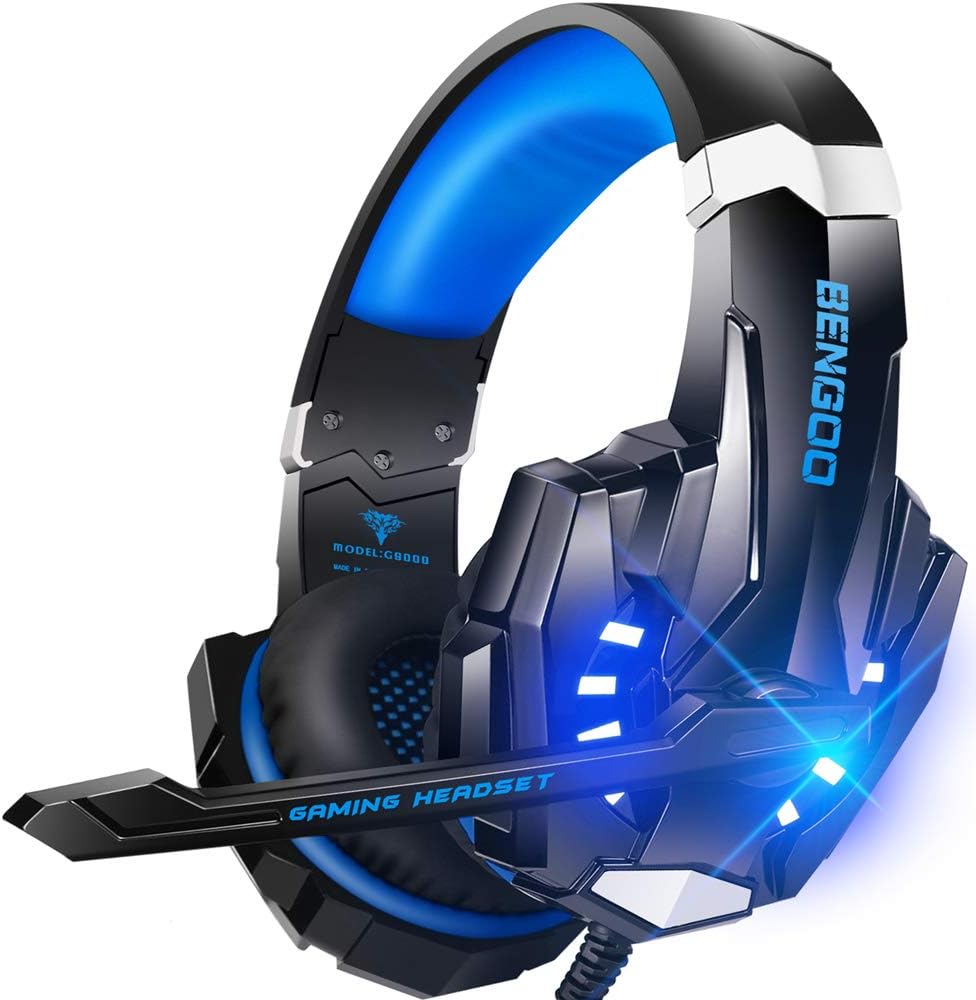
🎧 Bengoo Gaming Headphones
Budget wired option
- Much cheaper
- Surprisingly good mic
- But nowhere near Barracuda X in comfort or wireless quality
Good for beginners, not for wireless lovers.
🎧 Razer Barracuda Pro
Premium version
- ANC
- Better drivers
- Higher price
More for traveling or pro audio users.
⭐ Who Should Buy the Barracuda X?
This headset is perfect if you:
- Want affordable wireless that works on PS5, PC, Switch, Steam Deck, Android, iPhone
- Play games where audio clarity matters
- Prefer lightweight comfort
- Hate app-heavy setups
- Need excellent battery life
Not ideal if you want super-rich Bluetooth sound, or if you expect premium ANC features.
⭐ Pros & Cons
Here’s what I genuinely like and don’t like…
✅ Pros
- Lightweight, comfortable for long sessions
- Excellent wireless performance with 2.4GHz
- Works with practically everything
- Clear mic quality
- Amazing battery life
- Easy plug-and-play setup
- Great value when discounted
❌ Cons
- Bluetooth audio quality can vary
- No ANC
- Not compatible with Synapse (for those who like EQ tuning)
- Some units suffer from imbalance or QC issues
Explore Every Type of Headphone — All in One Place
Discover In-Ear, On-Ear, Over-Ear, Gaming Headsets and TWS models with expert reviews.

⭐ Final Verdict
So, is the Barracuda X worth it?
Honestly… yes.
For the price, it’s one of the best budget wireless gaming headsets you can buy in 2025. It’s not perfect — but its comfort, battery, and cross-platform support make it a killer value.
If you want reliable performance without spending $150+, this is a fantastic pick.
You can check current price on Amazon — it often drops lower than you’d expect.
Why You Can Trust Us:
I’ve spent years reviewing gaming accessories, from premium ANC headsets to $20 budget picks like the bengoo gaming headphones. My process blends expert opinions, community feedback, and long-term reliability reports — no brand favoritism, just honest breakdowns.
⭐ FAQs
1. Does the Razer Barracuda X work well on PS5?
Yes — it’s basically made for plug-and-play PS5 gaming. Just use the USB-C dongle, and it connects instantly with low latency.
2. Can you use it with a phone?
Absolutely. Bluetooth works on both Android and iOS. Although sound quality is best on 2.4GHz, Bluetooth is fine for calls, music, and commuting.
3. Is the mic good enough for streaming?
For casual streaming, yes. For professional recording or Twitch-level audio, I’d recommend a standalone mic.
4. Is the Barracuda X durable?
With normal use, yes. It’s lightweight but not fragile. Just avoid throwing it in your backpack without care.
5. Is it better than the Stealth 600?
Depends. Barracuda X is lighter and cheaper; Stealth 600 has richer sound and better bass. Both are great for different users.
If you click an Amazon link and buy something, we may earn a small commission at no extra cost to you.